8 Best AI Blog Post Generators in 2026
Tested 8 AI blog post generators on real content. Jasper leads on brand voice, Mark on full automation, Koala on WordPress SEO. Full comparison inside.
Most AI writing tools promise "content in seconds" and deliver generic filler that reads like it came from the same template. You paste the output, realize it says nothing specific, and end up rewriting half of it anyway.
The tools worth using are the ones that shorten the distance between a blank page and a published article that actually ranks. They research, structure, optimize for search engines (and increasingly for AI answers), and fit into the workflow you already have, whether that's WordPress, Webflow, or something else entirely.
Below you'll find eight AI blog post generators tested against real publishing workflows, ranked by how much of the work they actually do for you.
Table of contents
- 1Jasper: Best for Brand Voice Consistency
- 2Mark: Best for Full Automation to CMS
- 3Koala: Best for WordPress SEO Writers
- 4Frase: Best for Research-Heavy Content
- 5Copy.ai: Best for Marketing Teams New to AI
- 6Writesonic: Best for AI Search Visibility
- 7Rytr: Best Budget Option
- 8ChatGPT: Best for Brainstorming and Flexibility
- 9Quick Comparison Table
- 10How to Choose the Right AI Blog Post Generator for You
1. Jasper: Best for Brand Voice Consistency
Jasper has been in the AI writing space longer than most competitors, and it shows. The platform feels less like a text generator and more like a writing environment designed for marketing teams that need every piece of content to sound like it came from the same person.
The standout feature is Brand Voice. You upload examples of your existing content (blog posts, emails, product pages), and Jasper analyzes the tone, vocabulary, and sentence structure. When you generate new content, the output actually mimics your style rather than producing generic corporate prose. This matters because the biggest complaint about AI-generated content is that it sounds robotic and interchangeable, and Jasper's brand training genuinely addresses that problem.
The "Boss Mode" document editor understands context across the entire piece. You can give it commands like "write a transition between these two sections" or "expand on this point with a case study," and it reads what came before to avoid repetition. For long-form blog posts, this contextual awareness prevents the drift that plagues most AI tools after 500 words.
100,000+
Businesses using Jasper, with a 4.8/5 average rating across over 10,000 reviews. Jasper, 2026
That scale comes with tradeoffs worth knowing before you commit.
- Does well: Brand voice training is the best in the market. The template library covers specific use cases (intros, CTAs, product descriptions) so you're not starting from scratch. Enterprise features like SSO and audit logs make it viable for larger organizations.
- Falls short: Pricing starts at $59/month per seat (billed yearly) or $69/month billed monthly, making it one of the most expensive options. There's also a learning curve to the commands and templates. The tool works in its own interface, so you'll still need to copy-paste into your CMS and handle SEO metadata separately.
- Best for: Marketing teams and agencies that publish across multiple brands and need strict voice consistency. Not ideal for solo bloggers who want a simpler workflow.
2. Mark: Best for Full Automation to CMS
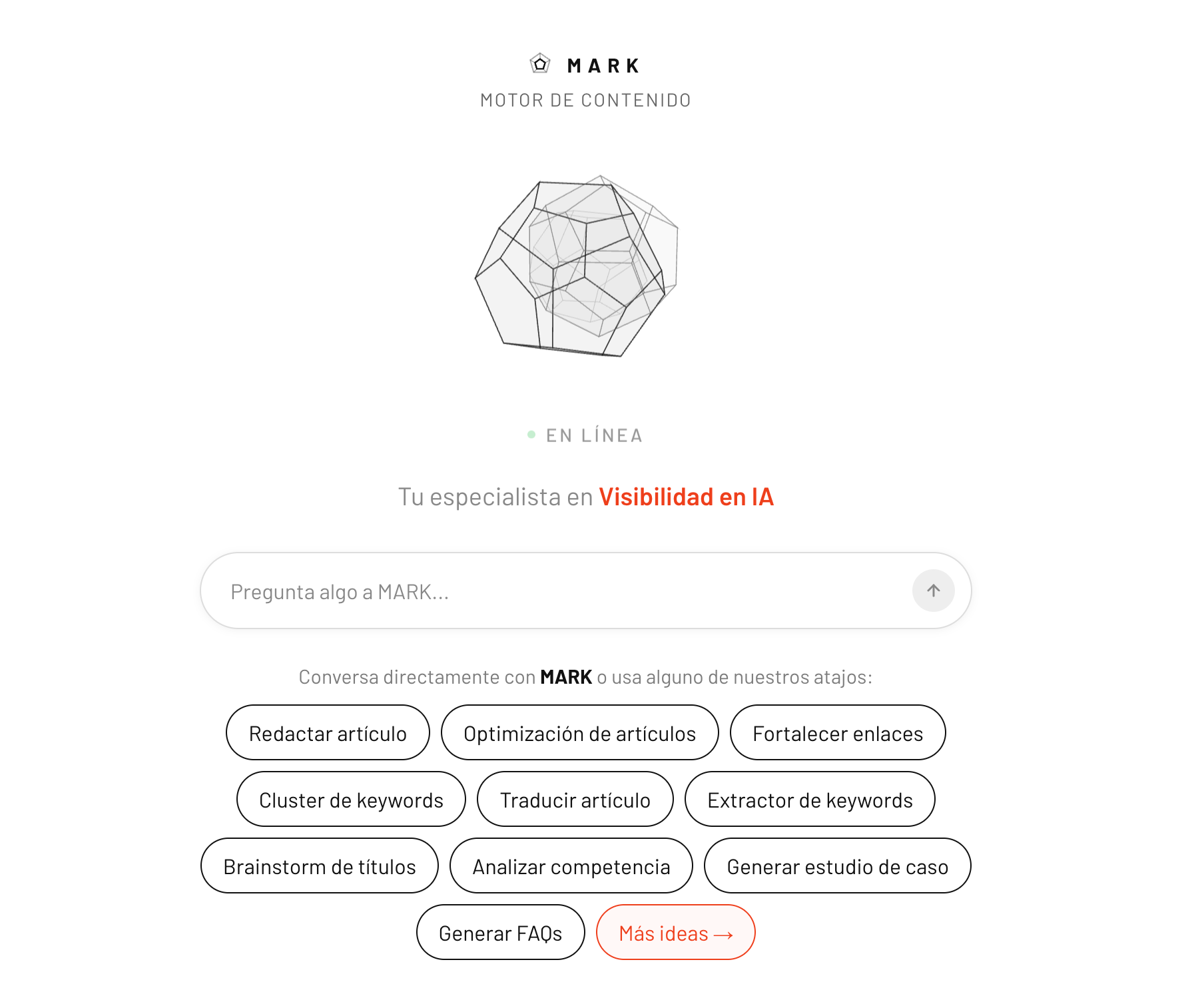
Mark approaches content differently than most tools on this list. Instead of generating text that you then copy, paste, format, and optimize, Mark runs the entire pipeline: SERP research, cannibalization check against your existing content, article generation, internal linking, SEO metadata, and direct publishing to your CMS.
The practical difference is significant. With most AI writers, "generating an article" is the beginning of the work. You still need to open your CMS, paste the text, add headings, insert internal links, write the meta title and description, generate a featured image, and set the slug. Mark does all of that in a single command.
The tool connects directly to WordPress, HubSpot, Webflow, and Wix. When you request an article, it publishes a fully formatted draft with the TOC, internal links pointing to your existing content, Yoast or equivalent SEO fields filled in, and a generated featured image already attached. You review and hit publish.
- Does well: The full-pipeline approach eliminates the copy-paste workflow entirely. The cannibalization check prevents you from accidentally competing with your own content (a surprisingly common problem when publishing at volume). GEO optimization structures content so AI engines like ChatGPT and Perplexity can cite your site as a source. The brand voice feature learns your tone from your existing content.
- Falls short: Mark is designed for people who want to publish finished content, not for those who prefer to heavily edit AI drafts. If you want granular control over every sentence before it touches your CMS, the direct-to-draft workflow may feel too hands-off. It also requires connecting your CMS, so it's not a fit for content you're writing outside your main site.
- Best for: Business owners, marketers, and agencies who want to publish SEO-optimized content regularly without the manual formatting and optimization steps. Especially useful if you're running a blog that needs consistent output but don't have dedicated content operations.
Pricing: Plans start at Starter (12 articles/month) through Agency (100 articles/month), with a 14-day free trial and no credit card required. Per-article cost works out to roughly $3.99 to $4.92 depending on plan.
3. Koala: Best for WordPress SEO Writers
KoalaWriter has built a strong following among content creators who publish primarily to WordPress, and the reason is straightforward: the tool analyzes the SERP for your target keyword before writing, then structures the article to compete with what's already ranking.
When you enter a keyword, Koala fetches the top results, identifies the entities and subtopics they cover, and builds an outline that addresses those same elements. This SERP-aware approach means you're not writing blind. The resulting article targets the actual ranking factors that matter for that specific query rather than following a generic template.
The automatic internal linking is where Koala shines for WordPress users. The tool indexes your entire site and inserts relevant internal links as it writes, using natural anchor text rather than forcing keywords. That's significant because internal linking is one of the most neglected SEO tasks (nobody enjoys going back through old posts to add links to new content).
25,000,000+
Internal links created through Koala's automatic linking feature, according to the company. Koala, 2026
That volume suggests the feature gets real use, not just a checkbox on a features page.
- Does well: One-click publishing to WordPress, Shopify, Webflow, and Ghost. SERP analysis built into the writing process. Amazon affiliate roundup articles with real product data. API access for custom integrations.
- Falls short: Pricing is based on word counts that multiply when using more advanced models (Claude and GPT-5.6 variants count at 2x or 3x). This can make costs unpredictable if you're not tracking usage. The tool doesn't check for cannibalization against your existing content, so you need to verify that manually.
Pricing: Starts at $9/month for basic usage, with the most popular plan at $49/month. Higher volume plans run up to $2,000/month.
Best for: WordPress publishers who want built-in SEO optimization and internal linking without the manual work.
4. Frase: Best for Research-Heavy Content
Frase positions itself as a "content loop" tool, combining research, writing, publishing, and maintenance into a single platform. The research component is what sets it apart: before you write a word, Frase shows you what the top-ranking pages cover, which questions they answer, and where the gaps are.
The tool also includes Content Guard, which monitors your published pages for Google ranking drops. When a page starts losing positions, Frase alerts you and can draft a revision. This addresses the reality that content isn't "done" when you publish it. Pages decay, competitors improve, and search intent shifts over time.
Frase publishes directly to WordPress, Webflow, Sanity, and Wix. They also offer FraseCMS, their own hosted publishing platform, free for up to 100,000 page views monthly. This is useful if you want a simple blog without managing WordPress infrastructure.
100,000
Monthly page views included free on FraseCMS, Frase's own hosted publishing platform. Frase, 2026
That free tier is enough for most small blogs, which lowers the barrier for anyone who wants to skip WordPress entirely.
What it does well: Research-first approach ensures articles are built around what actually ranks. Content Guard automates the monitoring that most people neglect. AI Visibility tracking shows how your content appears in ChatGPT and Google AI Overviews.
Where it falls short: The Starter plan caps you at 10 articles and 50 audit pages monthly, which runs thin if you're publishing frequently. Extra seats cost $29/month each. The interface has more features than casual users need, which can feel overwhelming.
Pricing: Starter at $39/month (1 seat, 10 articles), Professional at $103/month (3 seats, 40 articles), Scale at $239/month (5 seats, 100 articles), all billed yearly.
Best for: Content teams that treat SEO as an ongoing process, not a one-time optimization.
AI Blog Post Generators: Feature Comparison
| Tool | Starting Price | Direct CMS Publish | SERP Analysis | Best For |
|---|---|---|---|---|
| Jasper | $59/mo | No (browser extension) | No | Brand consistency |
| Mark | $59/mo | Yes (WP, HubSpot, Webflow, Wix) | Yes | Full automation |
| Koala | $9/mo | Yes (WP, Shopify, Webflow, Ghost) | Yes | WordPress SEO |
| Frase | $39/mo | Yes (WP, Webflow, Sanity, Wix) | Yes | Research-heavy content |
| Copy.ai | $24-29/mo | No | No | Marketing teams new to AI |
| Writesonic | $79/mo | Yes (WordPress) | Yes (real-time) | AI search visibility |
| Rytr | $7.50/mo | No | No | Budget writers |
| ChatGPT | Free (Plus $20/mo) | No | No | Brainstorming, flexibility |
Source: Official pricing pages, September 2026
The next four tools trade some of that automation for a lower price or a narrower focus, starting with the most approachable option for teams still new to AI writing.
5. Copy.ai: Best for Marketing Teams New to AI
Copy.ai has evolved from a short-form copywriting tool into a more complete content platform, but its greatest strength remains how approachable it is. The Blog Post Wizard walks you through a structured process: you enter a title and keywords, it generates an outline, you refine the outline, it creates talking points for each section, and then it writes the full paragraphs.
This step-by-step approach gives you checkpoints before the AI commits to the final text. You catch structural problems at the outline stage rather than discovering them buried in a 1,500-word draft. For teams where not everyone is comfortable with AI tools, this guided workflow reduces the learning curve significantly.
Copy.ai's entry-level Chat plan, at $29/month ($24/month billed annually), includes 5 seats and unlimited words in chat, which is more generous than most competitors charge for at that price point.
What it does well: The wizard workflow prevents the AI from going off-track. The interface is clean enough that anyone can start producing content within minutes. Multiple AI models (OpenAI, Anthropic, Gemini) available depending on your plan.
Where it falls short: The output can feel shallow on technical or complex topics, requiring more editing than tools like Jasper. There's no direct CMS integration, so you're still copy-pasting into WordPress. The credit-based system for workflows can be confusing to track.
Pricing: Chat plan starts at $29/month ($24/month billed annually, 5 seats). Higher tiers scale by team size and workflow credit allocation.
Best for: Marketing teams adopting AI writing for the first time who want a structured, low-friction experience.
6. Writesonic: Best for AI Search Visibility
Writesonic has pivoted significantly toward what they call AI Search Optimization, focusing on helping content appear in AI-powered search results (ChatGPT, Perplexity, Google AI Overviews) rather than just traditional Google rankings.
The "Article Writer 5.0" feature can reference live Google Search data while writing, which addresses the hallucination problem that plagues most AI tools. When you're writing about a recent product update, current pricing, or a news event, Writesonic pulls in current information rather than relying on potentially outdated training data. The tool often provides citations for the facts it includes, which saves research time.
The AI Visibility Tracking feature monitors how your brand appears across AI platforms, tracking mentions, sentiment, and competitor share of voice. This is increasingly relevant as more searches happen through AI interfaces rather than traditional search results.
What it does well: Real-time data access reduces factual errors. AI visibility tracking addresses a growing SEO concern. WordPress integration for direct publishing.
Where it falls short: The interface is busier than competitors, with many features competing for attention. The pricing model based on quality tiers and word counts takes time to understand. The focus has shifted enough toward GEO that the core blog writing experience feels less polished than dedicated writing tools.
Pricing: Paid plans start at $79/month (billed annually). Free trial available, no credit card required.
Best for: Publishers who prioritize appearing in AI answers alongside traditional search results.
7. Rytr: Best Budget Option
If Jasper is the premium option, Rytr is the practical choice for writers who need AI assistance without a significant monthly expense. The Unlimited plan runs $7.50/month (billed yearly), which is roughly what you'd pay for a single ChatGPT Plus month.
$2 to $10
Typical per-article cost across the tools in this list, versus $100 to $300 for a freelance writer producing equivalent SEO content. Vendor pricing pages, 2026
The tool is intentionally simple. You select a use case (blog section, product description, email), choose a tone from 20+ presets, and click generate. There's no complex workflow or extensive customization. For writers who want paragraph-by-paragraph assistance rather than full article generation, this stripped-down approach works well.
Rytr's browser extension follows you around the web, including into WordPress and Google Docs. This makes it useful as a writing companion that helps with specific sections or rewrites awkward sentences, rather than a complete content generation solution.
What it does well: The pricing is genuinely accessible. The interface requires no learning curve. The browser extension makes it available anywhere you write. The Premium plan ($24.16/month) adds 35+ languages and more plagiarism checks.
Where it falls short: The tool isn't designed for generating complete long-form articles in one pass. You're working paragraph by paragraph, which adds up to more hands-on time than full-article generators. The output quality requires more editing than premium tools.
Pricing: Free tier with 10,000 characters/month. Unlimited at $7.50/month. Premium at $24.16/month.
Best for: Budget-conscious writers who want AI assistance for sections and rewrites rather than complete articles.
8. ChatGPT: Best for Brainstorming and Flexibility
ChatGPT is the tool that made AI writing mainstream, and it remains the most versatile option. The conversational interface means you can refine output iteratively: "Make this punchier," "Add a case study," "Rewrite this for a technical audience." No other tool responds to feedback quite as fluidly.
1 billion+
Weekly active ChatGPT users, confirmed by OpenAI on July 31, 2026. Scale is not the same as blog-writing fit. OpenAI, 2026
The flexibility cuts both ways. ChatGPT has no built-in structure for blog posts, no SEO optimization, no SERP analysis, and no CMS integration. You're starting from a blank conversation every time, and the quality of your output depends heavily on the quality of your prompts. Writing "create a blog post about AI tools" produces generic content; writing a detailed brief with audience, angle, structure, and examples produces something usable.
The free tier is capable enough for basic drafting. ChatGPT Plus at $20/month adds faster responses and access to more advanced reasoning models.
What it does well: Unmatched conversational refinement. Great for brainstorming angles, rewriting specific paragraphs, or summarizing research. The most flexible tool when you need something outside the template.
Where it falls short: No blog-specific workflows, no SEO tools, no direct publishing. Longer articles often lose coherence or fall into the same generic throat-clearing opener paragraph after paragraph. You need to build your own structure and prompting discipline.
Pricing: Free tier available. Plus at $20/month. Pro at $200/month for maximum capacity.
Best for: Writers who want a flexible AI partner for specific tasks and are comfortable providing detailed direction.
Quick Comparison Table
Which AI Blog Post Generator Fits Your Workflow?
I need brand voice consistency
Jasper. The brand training feature learns your tone from existing content and maintains it across everything you generate.
I want full automation to my CMS
Mark. Research, writing, SEO, internal links, and publishing happen in a single command. No copy-paste.
I publish mainly to WordPress
Koala. Built-in SERP analysis and automatic internal linking designed specifically for WordPress SEO.
I need deep research before writing
Frase. Competitor analysis, content gaps, and Content Guard for monitoring published pages over time.
My team is new to AI writing
Copy.ai. The step-by-step wizard prevents overwhelm and catches problems before you commit to the full draft.
I have a limited budget
Rytr at $7.50/month or ChatGPT's free tier. Less automation, but functional AI assistance at minimal cost.
Source: Mark's own testing and evaluation, 2026.
That quick-reference grid covers the common cases. The next section walks through the reasoning behind each recommendation.
How to Choose the Right AI Blog Post Generator for Your Workflow
The best AI blog post generator is the one that removes the most friction from your specific workflow. That means the answer depends on where you currently spend the most time.
If you spend hours on research before writing: Frase or Writesonic, both of which build SERP analysis into the writing process.
If you spend time copy-pasting and reformatting: Mark, Koala, or Frase, all of which publish directly to your CMS with formatting intact.
If you spend time editing AI output to sound like your brand: Jasper, which genuinely learns your voice.
If you spend money you don't have: Rytr or ChatGPT's free tier, which provide AI assistance without the monthly commitment.
The honest reality is that no tool produces publish-ready content without review. The goal is to start closer to done, and the right tool is the one that gets you there with the least resistance given how you already work. For a deeper look at what separates a genuine AI blog writer from a text generator with marketing attached, see the full breakdown.
Frequently Asked Questions
Can AI-generated blog posts rank on Google?
Yes. Google evaluates content quality, not authorship method. AI-generated posts that provide genuine value, answer search intent, and include accurate information rank alongside human-written content. The caveat is that pure AI output often lacks the specificity and unique insight that distinguishes top-ranking content, which is why editing and adding your own expertise remains necessary.
What is the difference between AI blog generators and ChatGPT?
ChatGPT is a general-purpose conversational AI. Dedicated blog generators add workflows around the core language model: SERP research, SEO optimization, structured outlines, CMS integration, and internal linking. ChatGPT requires you to build that structure yourself through prompting. The specialized tools save time when your goal is specifically blog content rather than general writing tasks.
How much does an AI blog post generator cost?
Pricing ranges from free (ChatGPT's basic tier, Rytr's free plan) to $7.50/month (Rytr Unlimited) to $59/month or more (Jasper). Most paid tools fall in the $25 to $80/month range for individual use. Per-article costs work out to roughly $2 to $10 depending on the tool and plan, which compares to $100 to $300 for a freelance writer producing equivalent SEO content.
Do I still need to edit AI-generated blog posts?
Almost always. AI tools excel at structure, research synthesis, and first-draft speed. They consistently struggle with brand-specific examples, unique insights, accurate technical details, and the kind of specific claims that make content genuinely useful. Plan to review for accuracy, add your own expertise, and adjust the tone before publishing.